
Note: This feature is available from AimBetter Agent version 3.4.7.0 and later. Learn how to update the AimBetter Agent.
The Responsive Agent feature empowers users with a range of actions that can be performed directly from the AimBetter platform:
- Kill a Process Running on the Server’s Operating System: Terminate processes that may be impairing system performance, such as slowness or clogging disk resources. This action is crucial for maintaining optimal server performance and resource allocation.

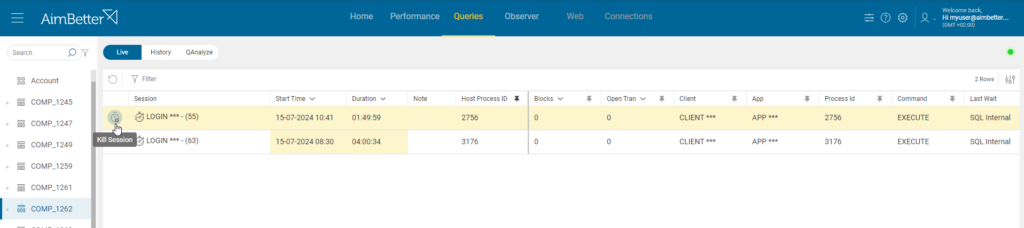
- Kill a Query Session Running on SQL Server or Oracle Server: End sessions that represent a bottleneck blocking users or slowing down the system. This helps maintain database performance and ensure smooth user operations. This action can also be performed with the new mobile app.
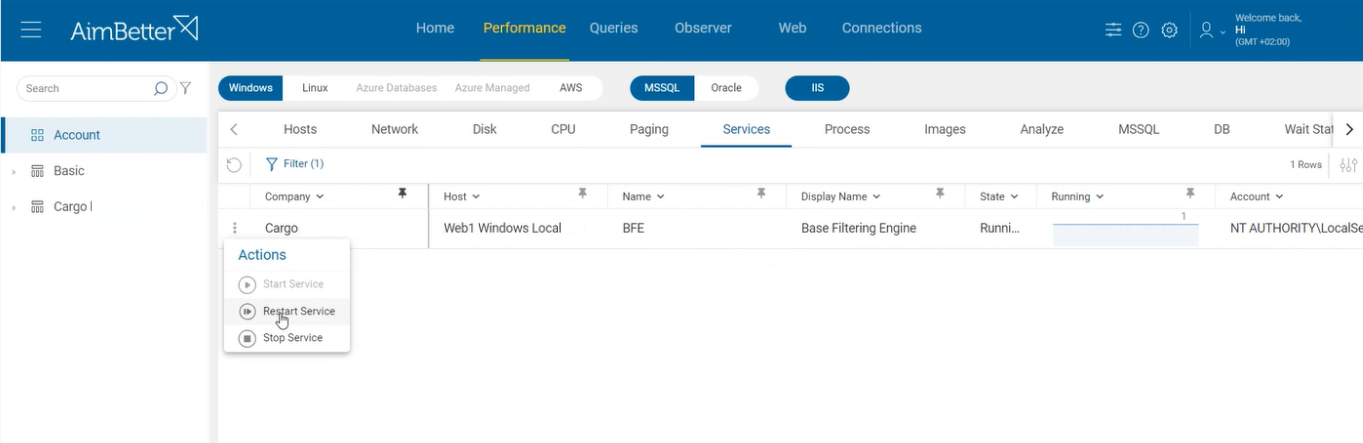
- Stop/Start or Restart a Service Running on the Operating System: Manage critical services by stopping, starting, or restarting them as needed. This is essential for maintaining service availability and functionality.
To benefit from the Responsive Agent feature, you need the latest AimBetter Agent installed. Learn how to update your AimBetter Agent here.
The Responsive Agent feature is disabled by default. To enable it, open the AimBetter Configuration program, click the settings icon, and toggle the Responsive Agent to “On”.
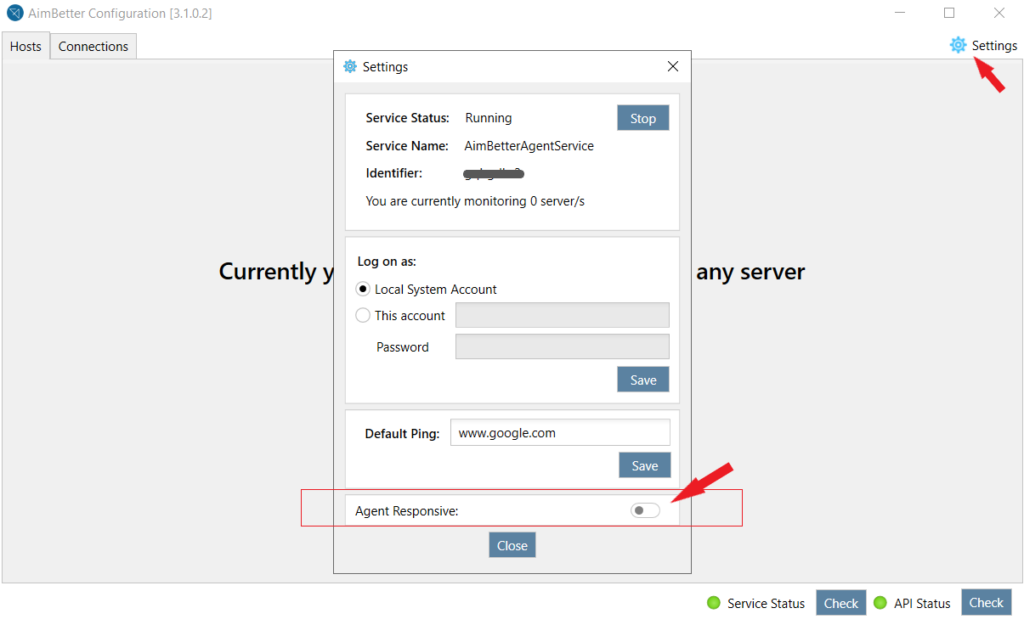
The user that runs the AimBetter Agent needs admin credentials to be able to perform these actions.
As part of AimBetter’s secure-by-design approach, the AimBetter Agent only performs actions commanded by a verified user through OTP authentication. The OTP (one-time password) is a strong authentication method used by several systems containing sensitive data.
After an action is commanded and confirmed, it will appear in the “Latest Actions” with its status.

 +1 (650) 449-8622